Solution by role
Fast enough that your team actually uses it
Check guests in and out in seconds, one tap to change a room's status, and an interface in the language your staff already think in.
Check-in and check-out in seconds
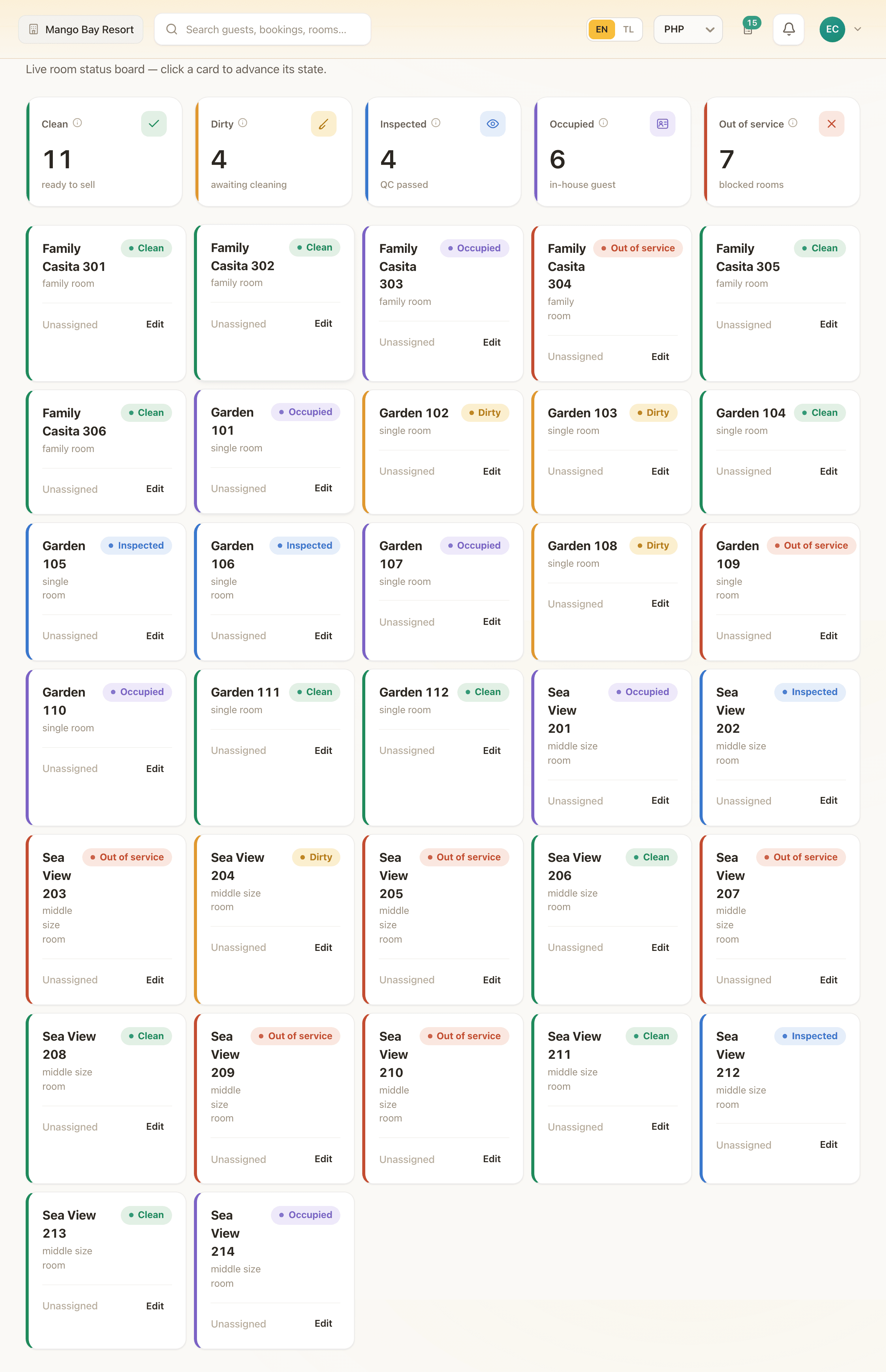
One tap to change a room's status
Drag to move a booking, not a phone call to the office
What this role needs to know and act on
The objection that ends more software evaluations than any feature gap is a plain one: will my staff actually use it? A system that is powerful in a demo and slow at the counter gets worked around within a week — a sticky note here, a phone call there — and six months later nobody remembers why you paid for it.
This page is not written for the front desk to read on their own time and decide. It is written for the owner or manager weighing that risk, with the actual daily tasks laid out rather than a feature list.
Check-in and check-out in seconds
Find the booking, confirm the guest, mark them in. The reverse at checkout. Nothing more is required to move a guest through the desk, and nothing about it depends on remembering a sequence of screens.
One tap to change a room's status
Clean, dirty, inspected, occupied, out of service — the housekeeping board is a card per room, and moving a room forward is one tap. A housekeeper does not need to explain a room is ready; the front desk sees it change in real time.
Drag to move a booking, not a phone call to the office
A guest asks to switch rooms, or a booking needs reassigning because of a maintenance issue — drag it on the calendar. The person at the desk handling the guest is the person who can also fix the booking, without waiting for someone else to have time.
Tagalog, because that is what removes the objection
The entire interface — not a translated menu bar, the whole thing — is available in Tagalog as well as English. For a team that thinks in Tagalog, that is the difference between software they use without friction and one they route around.
Access scoped to the job, so mistakes are contained
A front-desk role sees bookings, the calendar and guest profiles — not payroll, not your margins. That is not a restriction that slows the desk down; it is what lets you hand out logins without worrying about what a new hire can see on their first day.
One search box that actually finds the thing
Type a guest's name, a booking reference or a room number into the header and the answer is there — not a menu to navigate first. On a busy afternoon with a queue at the desk, that is the difference between a guest waiting while a screen loads and a guest waiting while someone reads a name.
Your property, not a generic demo account
See it on your own operation
Thirty minutes with the IslandLink team, your rooms and your rates. No card, nothing to sign — and we will tell you honestly if we are the wrong fit.