Coordinate people & guests
Everyone knows what they are doing today
Daily tasks per person, a weekly rota, and a warning when a day is short-staffed.
The pool chemicals, the beach frontage, the minibars, yesterday's cash, the generator fuel. None of it is complicated and all of it is forgettable, so it gets remembered by whoever happens to think of it.
And the rota lives on paper by the staff door, which means nobody knows Sunday is one person short until Sunday.
Tasks & scheduling is one of the modules included in the MangoHost platform — every plan has all of them, so nothing on this page is an upsell.
The workflow
How it works
The day, assigned
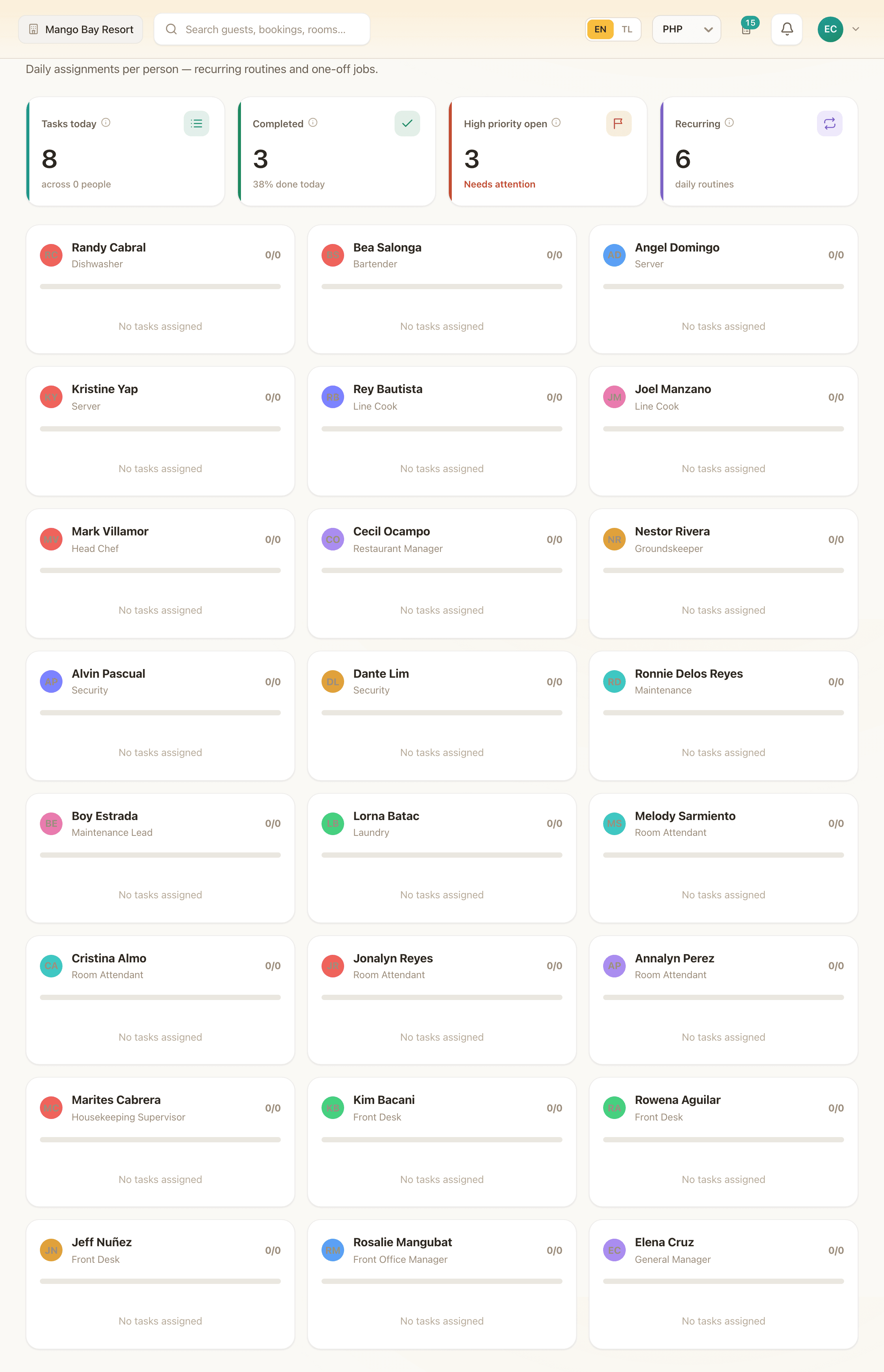
Tasks are grouped by the person responsible, with a category — housekeeping, maintenance, front desk, admin — and a priority. Recurring routines are entered once and appear every day; one-off jobs go in as they come up.
Marking one done is a tap, which is what makes it something staff actually do rather than a system they work around.
What the board tells you at a glance
Tasks today and across how many people, how many are completed and the percentage done, how many high-priority ones are still open, and how many of the day's items are recurring routines rather than exceptions.
That last one matters more than it looks: if most of your day is exceptions, the routine is not written down yet.
The week, visible
A grid of staff against Monday to Sunday. Click a cell to cycle morning, day or evening. Coverage totals sit underneath, and days below your threshold are flagged as low-coverage.
It is deliberately not a labour-cost optimiser. It is the paper rota by the staff door, in a place everyone can see from their phone.
Categories that match who does the work
Housekeeping, maintenance, front desk, admin, other. Not project labels — the actual teams, so a task lands with the group that owns it and the board can be read a section at a time.
Priority sits alongside: low, normal, high. High-priority open items are counted separately, because a board where everything is normal tells you nothing about what to do first.
Coverage, before the gap becomes a problem
Under the rota grid is a coverage row: how many people are on each day. Days below your threshold are flagged as low-coverage, which is a Wednesday problem you can solve on Monday rather than a Sunday problem you discover on Sunday.
It is deliberately not a labour-cost optimiser and does not try to schedule for you. Rostering at this size is a judgement about people, and the software's job is to make the consequence visible.
Granted to the people who need it
Tasks and Schedule are separate modules, so a supervisor can be given the rota without the task board, or the reverse. Neither grants anything financial.
Combined with the Tagalog interface, that is what makes a task board something staff use from a phone in a corridor rather than a screen the owner fills in on their behalf.
In detail
| Per-person task board | Today's work grouped by who is doing it. |
|---|---|
| Recurring routines | Entered once, shown daily, badged as recurring. |
| Categories | Housekeeping, maintenance, front desk, admin, other. |
| Priority | Low, normal, high. |
| Task KPIs | Today's count, people covered, completion percentage, high-priority open, recurring count. |
| Weekly rota | Staff by weekday, cycling morning, day and evening. |
| Coverage row | Headcount per day. |
| Low-coverage warning | Days below threshold flagged. |
Who this is for
The routine lives in one person's head
Writing it down as recurring tasks is what lets that person take a day off.
Your rota is on paper
Same rota, visible from a phone, with the coverage arithmetic already done.
See it on your own property
Thirty minutes with the IslandLink team, your rooms and your rates. No card, nothing to sign.